
By Grafted Technology
Introduction
Choosing your first laptop can feel confusing. However, the biggest question beginners ask is simple.
Should I buy a Chromebook or a Windows laptop?
At Grafted Technology, we help beginners make smart tech choices. Therefore, in this guide, we compare Chromebooks and Windows laptops in simple terms.
By the end, you will know exactly which one suits your needs.
What Is a Chromebook?
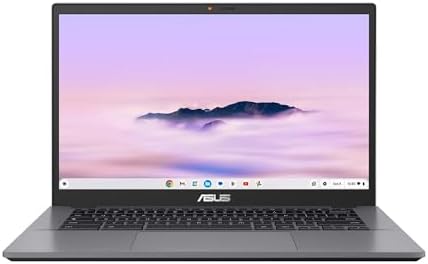
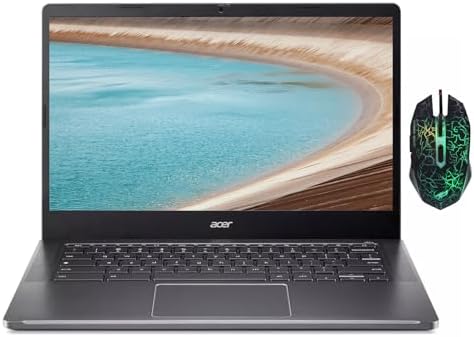
A Chromebook is a laptop that runs on Chrome Operating System (OS). It mainly uses Google apps.
For example, you work with:
- Google Docs
- Gmail
- YouTube
- Google Drive
Because of this, Chromebooks are simple and fast. They also start up quickly. Click below to buy beginner-friendly Chromebooks on Amazon.


What Is a Windows Laptop?
A Windows laptop runs on Microsoft Windows. It supports many programs.
As a result, you can install:
- Microsoft Word and Excel
- Zoom and Teams
- Design and learning software
Because of this flexibility, Windows laptops are very popular.
See Best Budget Windows Laptops for Beginners in 2026
Chromebook vs Windows Laptop: Key Differences
1. Ease of Use
Chromebooks are easier to use. Therefore, they are great for complete beginners.
Windows laptops take more time to learn. However, they offer more control.
2. Performance
Chromebooks feel fast because they run light apps.
Windows laptops handle more tasks. However, they need better specs.
3. Software Support
Chromebooks work best online. They depend on internet access.
Windows laptops work both online and offline. Therefore, they are more flexible.
4. Price
Chromebooks are usually cheaper. This makes them budget-friendly.
Windows laptops cost more. However, they offer more features.
Comparison Table: Chromebook vs Windows
| Feature | Chromebook | Windows Laptop |
|---|---|---|
| Ease of use | Very easy | Moderate |
| Software | Google apps | All major programs |
| Offline use | Limited | Excellent |
| Price | Lower | Medium to high |
Which Is Better for Beginners?
Choose a Chromebook if:
- You want something simple
- You mainly use the internet
- You attend online classes
- You are on a tight budget
Choose a Windows laptop if:
- You want flexibility
- You use Microsoft Office
- You plan to learn new software
- You want long-term use
Recommended Next Step
Now that you understand the difference, the next step is choosing the right model.
Read our detailed guide:
Best Budget Laptops for Beginners in 2026 (Affordable & Reliable Picks)
You can also learn what matters most before buying:
Best Laptop Specs for Beginners in 2026
Final Thoughts
Both Chromebooks and Windows laptops are great. However, the best choice depends on your needs.
Therefore, always choose a laptop that matches how you work and learn.
At Grafted Technology, we help beginners choose smart, affordable tech with confidence.
Make the right choice today and enjoy stress-free learning.

Pingback: Laptop Buying Checklist for Beginners and Students